

Table of Contents
When it comes to keeping your outdoor spaces safe, bright, and energy-efficient, a solar light sensor can make all the difference. These clever devices automatically detect ambient light levels and, in some cases, motion, turning your solar lights on at dusk and off at dawn. Whether you’re dealing with a pathway light, a garden fixture, or a security spotlight, understanding how a solar light detector works and how to troubleshoot it is essential for optimal performance. In this guide, we’ll walk you through everything from the basics of a light sensor solar system to practical tips on how to fix solar lights and how to reset solar lights, ensuring your solar lamp motion sensor keeps shining reliably throughout the year.
What Is a Solar Light Sensor?
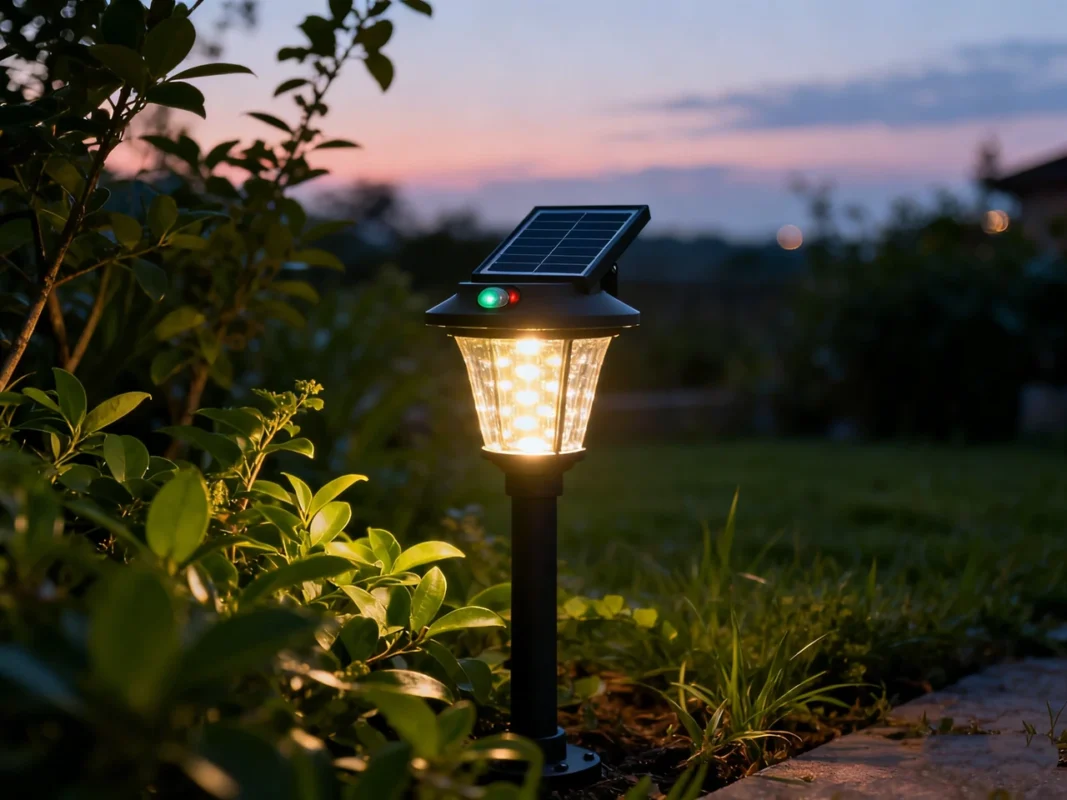
A solar light sensor is a device designed to detect changes in ambient light and control solar-powered lighting accordingly. These sensors are the brain behind many outdoor solar lamps, deciding when the light should turn on or off. Essentially, it automates your lighting, so you never have to remember to flip a switch. Depending on the model, a solar light sensor can detect general darkness using a solar light detector or identify movement through a solar lamp motion sensor, offering both convenience and energy efficiency.
Outdoor enthusiasts, gardeners, and homeowners increasingly rely on these sensors because they provide a reliable, self-sufficient lighting solution without wiring, electricity bills, or complex installation. Whether you are illuminating pathways, gardens, or security zones, understanding what a solar light sensor is and how it functions can save you both time and frustration.
Definition and Purpose
A solar light sensor is essentially a smart control system embedded in a solar-powered lamp. Its main purposes are:
- Automatic light control: It detects ambient light levels and switches the lamp on at dusk and off at dawn, eliminating the need for manual operation.
- Energy efficiency: By only activating the light when necessary, it preserves the energy stored in the rechargeable battery.
- Enhanced security: When combined with a solar lamp motion sensor, it can brighten the area instantly when movement is detected, deterring potential intruders.
- Maintenance simplicity: Because it works autonomously, the sensor reduces wear on the LED and battery, prolonging the light’s lifespan.
In short, the solar light sensor serves as the decision-making center of any solar lighting system, ensuring that your outdoor spaces are well-lit, efficient, and responsive to your environment.
Key Components
To understand a solar light sensor, it’s helpful to break down the key components of the system in which it operates:
- Solar Panel: Converts sunlight into electrical energy to charge the battery. The efficiency of this panel directly impacts the sensor’s ability to power the light through the night.
- Rechargeable Battery: Stores the electricity collected during the day. Battery health and capacity determine how long the lamp can stay on after dark.
- Light Sensor (Photocell): Measures ambient light levels. In some references, this is called a solar light detector, and it signals the controller when to activate the LED based on dusk or dawn conditions.
- Motion Sensor (Optional): Also called a solar lamp motion sensor, it detects movement in the surrounding area and can trigger higher brightness or longer lighting duration when motion is detected.
- Controller Circuit: Acts as the brain, interpreting signals from the light and motion sensors and deciding when to turn the light on or off.
- LED Light Source: Provides illumination when triggered by the sensor. LEDs are energy-efficient and long-lasting, ideal for solar lighting systems.
- Protective Housing: Shields the sensor, panel, and battery from environmental factors like rain, dust, or extreme temperatures.
These components work together to form a fully autonomous lighting solution. Understanding each part helps in troubleshooting, maintenance, and optimizing the performance of your light sensor solar system.
How Does a Solar Light Sensor Work?
A solar light sensor operates through a simple, yet intelligent cycle that ensures your solar-powered light functions automatically and efficiently:
- Daytime Charging: During the day, sunlight hits the solar panel, generating electricity that charges the battery. The light sensor monitors brightness, signaling that the environment is still bright, keeping the LED turned off.
- Dusk Activation: As the sun sets and ambient light decreases, the solar light detector senses the change. Once a preset darkness threshold is reached, it signals the controller to power on the LED.
- Motion Detection (If Equipped): In lamps with a solar lamp motion sensor, the sensor monitors movement. When motion is detected, the light may brighten or extend the duration of illumination, providing additional security and visibility.
- Nighttime Energy Management: Throughout the night, the sensor ensures that the lamp only uses energy when necessary. Some models can dim the light when no motion is detected, conserving battery life.
- Dawn Shutoff: When ambient light increases at sunrise, the sensor detects daylight and signals the LED to turn off, allowing the battery to recharge for the next cycle.
This self-regulating cycle allows your solar light sensor to function independently, delivering energy-efficient lighting without manual intervention. Proper understanding of this process is essential for troubleshooting or optimizing your solar lighting system.
Advantages and Disadvantages of Solar Sensor Lights
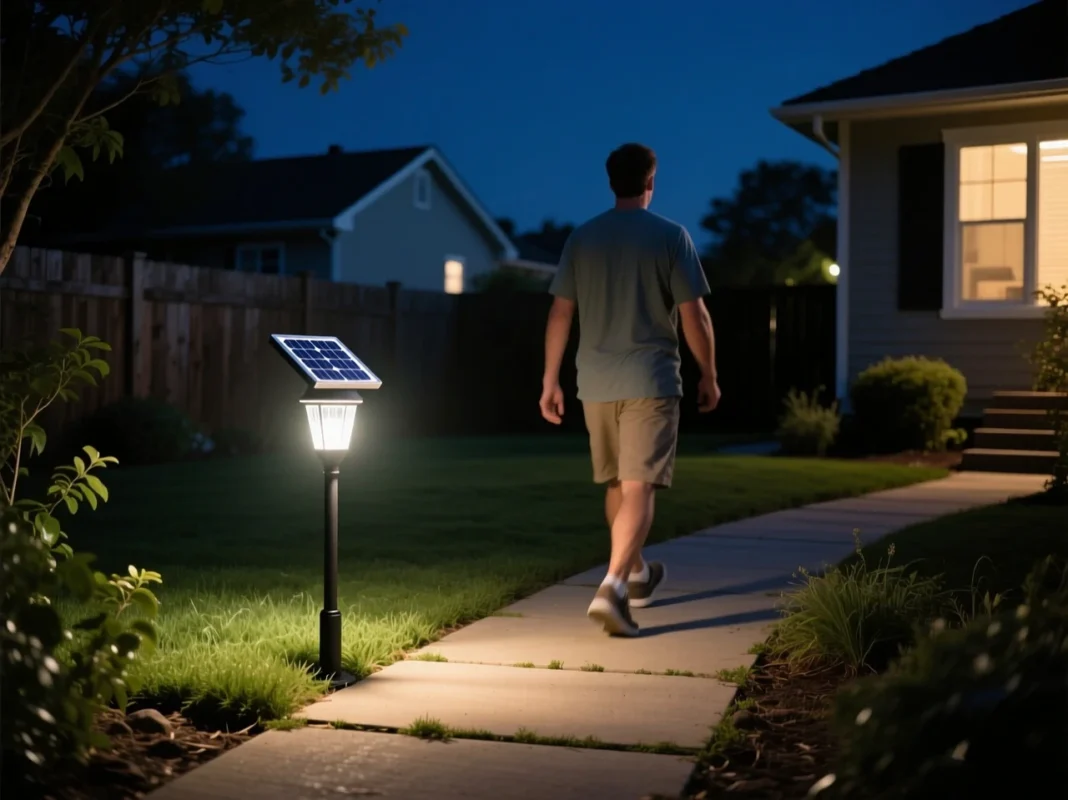
Outdoor lighting has come a long way with the rise of solar light sensors, offering a combination of convenience, energy efficiency, and security. While these systems bring undeniable benefits, they also come with certain limitations that every homeowner should understand. By exploring the advantages and disadvantages of solar sensor lights, you can make informed decisions on installation, maintenance, and troubleshooting.
Advantages
Solar sensor lights are popular for a variety of reasons, making them an attractive choice for residential and commercial outdoor spaces:
- Energy Efficiency
By using a solar light detector to determine when it’s dark, these systems operate only when necessary. Lights automatically turn on at dusk and off at dawn, conserving battery power and maximizing energy efficiency. With a light sensor solar system, you no longer need to worry about leaving outdoor lights on unnecessarily.
- No Wiring Required
Solar sensor lights are self-contained units, which eliminates the need for electrical wiring. This makes installation simpler, safer, and more flexible, especially in areas where running electricity is costly or impractical.
- Automation and Convenience
One of the biggest draws of a solar light sensor is its ability to automate outdoor lighting. You don’t need to flip switches; the sensor handles activation based on ambient light. Models with a solar lamp motion sensor add an extra layer of automation by detecting movement and adjusting brightness accordingly.
- Enhanced Security
Lights triggered by motion sensors can deter intruders or alert homeowners to movement near property boundaries. A solar lamp motion sensor can light up walkways or driveways instantly, increasing both safety and peace of mind.
- Low Maintenance
Because solar light sensors automate operation and use energy-efficient LEDs, wear and tear on the system is minimal. Occasional cleaning of the panel and sensor usually suffices to maintain performance over years.
- Eco-Friendly Lighting
Solar-powered lights reduce reliance on the electrical grid and minimize energy consumption, making them environmentally friendly. By using a solar light detector, energy is only used when necessary, reducing waste and light pollution.
Disadvantages / Limitations
While solar sensor lights have many benefits, they are not without drawbacks. Understanding these limitations can help you prevent common issues and extend the life of your system:
- Dependence on Sunlight
Since the lights rely on solar panels to charge batteries, shaded areas or locations with limited sun exposure can lead to undercharged batteries. This may result in dim lights, short operating time, or total failure to activate at night.
- Sensor Interference
Artificial lighting, such as nearby street lamps or porch lights, can confuse a solar light sensor, preventing it from turning on. Similarly, reflections or moving shadows can trigger a solar lamp motion sensor unnecessarily.
- Battery Degradation
Rechargeable batteries naturally lose capacity over time. Even with proper maintenance, a light sensor solar system may experience reduced runtime or dim illumination after a few years, requiring battery replacement.
- Limited Motion Detection Range
Some motion sensors are designed for short distances and narrow angles. A solar lamp motion sensor may not detect movement far away, reducing effectiveness for large areas unless properly positioned.
- Water and Weather Vulnerability
Despite waterproof housing, prolonged exposure to harsh weather or improper sealing can allow moisture to enter the system, potentially damaging the sensor or LED. Over time, extreme heat, ice, or heavy rain may affect performance.
- Settings Misconfiguration
Many solar light sensors come with adjustable LUX, TIME, and SENS controls. If these are set incorrectly, the light may not turn on at the desired time, remain on unnecessarily, or fail to respond to motion, leading to frustration and reduced efficiency.
- Initial Cost Considerations
High-quality solar sensor lights may have a higher upfront cost compared to basic wired or battery-operated lamps, though the investment is often offset by energy savings and lower maintenance costs over time.
How Do Solar Motion Detector Lights Work?
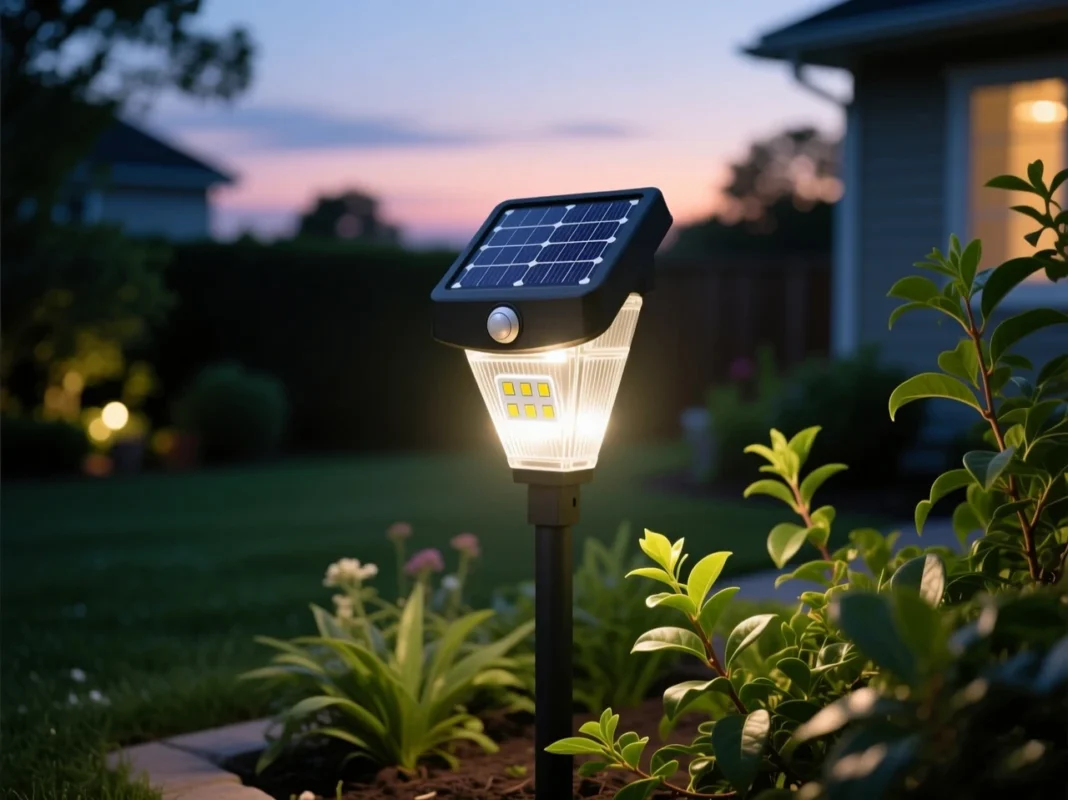
Combining the convenience of solar power with intelligent motion detection, solar motion detector lights have become a reliable solution for outdoor lighting. By integrating a solar light sensor with a motion detection system, these lights automatically illuminate spaces when needed, conserving energy while enhancing safety. Understanding how these systems operate, the types of sensors used, and their impact on energy efficiency and security is essential for proper installation and maintenance.
Motion Sensor Types in Solar Lights
A key component in solar lamp motion sensor systems is the type of motion sensor used. The sensor determines how accurately and effectively the light responds to movement. The most common types include:
- Passive Infrared (PIR) Sensors
PIR sensors detect changes in infrared radiation, essentially sensing body heat. When a person, animal, or vehicle passes within range, the sensor triggers the light to turn on or increase brightness. This type of sensor is energy-efficient and reliable for most residential and commercial applications.
- Microwave Sensors
Less common in basic outdoor solar lights, microwave sensors emit microwaves and detect reflections from moving objects. They can cover wider areas and sometimes penetrate minor obstacles, making them useful in larger or more complex spaces.
- Hybrid Sensors
Some advanced solar light sensor systems combine PIR and microwave technology to reduce false triggers and improve accuracy. This hybrid approach ensures the light responds appropriately to genuine motion while ignoring irrelevant disturbances like tree branches swaying in the wind.
Each type of motion sensor has specific advantages depending on the installation environment. Selecting the right sensor type ensures your solar lamp motion sensor system operates efficiently and effectively.
Energy Conservation via Motion
One of the main advantages of a solar lamp motion sensor is energy conservation. Traditional solar lights may stay at full brightness throughout the night, draining the battery faster. In contrast, motion-activated systems only increase brightness when needed:
- Reduced energy usage: The solar light sensor keeps the lamp in standby mode until motion is detected.
- Extended battery life: By limiting full illumination to when movement is present, the rechargeable battery lasts longer, ensuring the light functions throughout the night.
- Optimal solar charging: Because energy is used efficiently, the battery has sufficient capacity to maintain light coverage even in areas with limited sun exposure.
This targeted activation strategy makes solar motion detector lights particularly suitable for pathways, driveways, or any area where continuous lighting is unnecessary but occasional illumination is critical.
Security and Environmental Benefits
Beyond energy savings, solar motion detector lights provide both security and environmental advantages:
- Enhanced Security
The sudden illumination caused by a motion-triggered solar light sensor can deter intruders or alert homeowners to activity near entryways, gates, or driveways. Unlike standard lights, which remain on regardless of presence, motion-activated lights create an immediate response to potential threats.
- Reduced Light Pollution
By only activating when motion is detected, these lights minimize unnecessary nighttime illumination. This helps reduce light pollution in residential areas while still providing safe and functional lighting.
- Eco-Friendly Operation
Efficient use of the stored solar energy means that fewer resources are consumed overall. A solar light detector ensures the light is only on when necessary, combining green energy benefits with smart technology.
- Practical Application
Motion-activated solar lights are ideal for garden pathways, backyard patios, parking areas, or any location where intermittent light is sufficient. They provide visibility when needed without wasting energy during periods of inactivity.
By leveraging both solar light sensor technology and motion detection, these systems offer a balance of safety, energy efficiency, and environmental responsibility, making them a smart choice for modern outdoor lighting.
Common Issues with Solar Light Sensors
Even the most well-designed solar light sensor systems can experience occasional issues. Understanding the most common problems helps homeowners troubleshoot effectively, avoid unnecessary replacements, and maintain optimal performance. Many issues arise not from sensor failure itself, but from environmental conditions, battery wear, or simple misalignment. By recognizing these problems early, you can ensure your solar light detector continues to provide reliable, energy-efficient outdoor illumination.
- Dirty or Obstructed Sensors and Panels
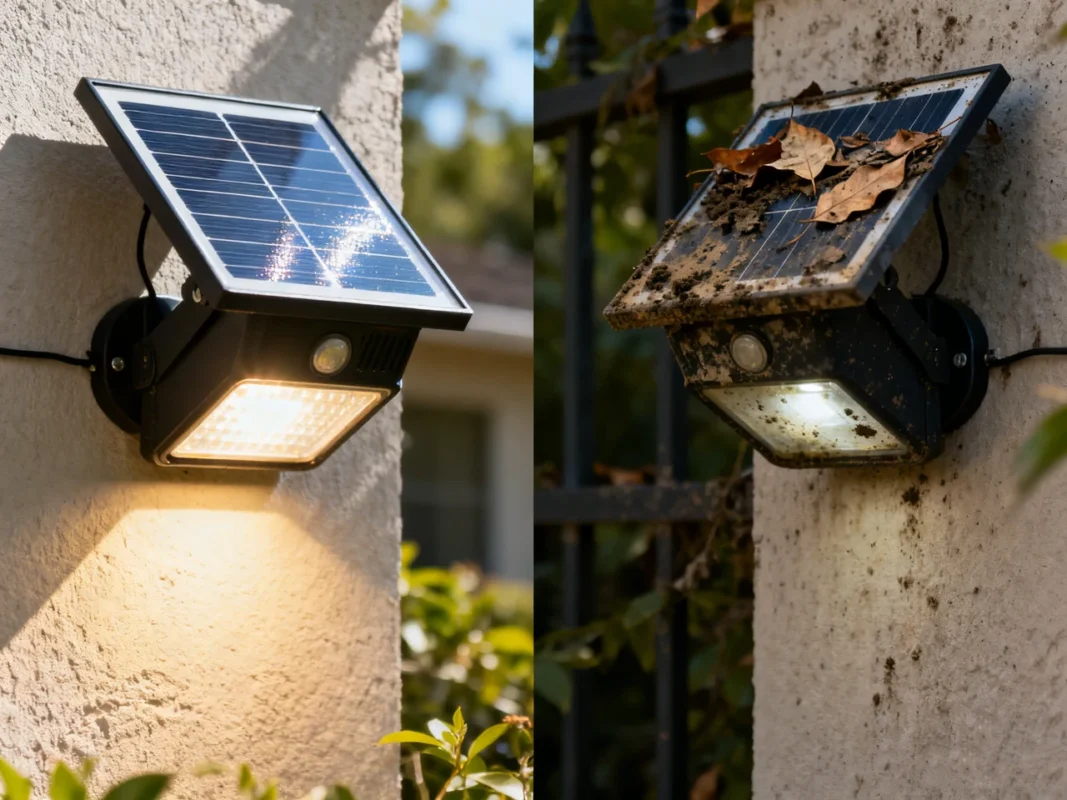
One of the simplest but most frequent issues occurs when dirt, dust, or debris covers the solar panel or light sensor. A blocked solar light sensor cannot accurately detect ambient light, which may prevent the lamp from turning on at dusk or cause it to behave inconsistently. Cleaning the panel and sensor regularly with a soft cloth can resolve most of these problems.
- Insufficient Sunlight Exposure
The efficiency of a light sensor solar system depends on adequate sunlight during the day. If the solar panel is shaded by trees, buildings, or other obstacles, the rechargeable battery may not fully charge. This can lead to dim lighting, shorter operational hours, or complete failure to activate at night. Proper placement in direct sunlight is critical for maintaining performance.
- Battery Degradation
Rechargeable batteries naturally lose capacity over time. A solar light sensor that previously worked flawlessly may begin to dim or fail to stay on as long if the battery has degraded. Periodic battery replacement is a normal part of maintenance and ensures the lamp continues to function efficiently.
- Water or Moisture Damage
Outdoor solar lights are designed to be weather-resistant, but poorly sealed units or extreme conditions can allow water or moisture to infiltrate the housing. This can damage the solar light detector, the motion sensor, or internal wiring, leading to inconsistent or complete failure of the system. Inspecting seals and housings regularly helps prevent this issue.
- Sensor Malfunction or Misalignment
Sometimes the solar lamp motion sensor or light detector itself may be misaligned or faulty. Common problems include:
- Photocell misalignment causing the system to misread ambient light.
- Motion sensors positioned incorrectly, failing to detect movement.
- Incorrect settings on LUX (light threshold), TIME (duration), or SENS (sensitivity) dials, which can prevent the sensor from triggering properly.
Adjusting the sensor angle or recalibrating settings often resolves these issues without requiring replacement.
- Interference from Nearby Lights
External light sources, such as street lamps, porch lights, or car headlights, can confuse a solar light sensor, causing the light to remain off or turn on prematurely. Proper placement away from competing light sources and recalibration of the sensor settings can help mitigate these effects.
- Environmental Limitations
Other environmental factors, such as extreme heat, heavy snowfall, or strong winds, may temporarily reduce the effectiveness of the solar light sensor. While most outdoor solar lights are built to withstand typical weather conditions, unusual or severe environments can cause temporary malfunctions. Regular monitoring and seasonal adjustments may be necessary in these cases.
How to Fix or Reset Solar Lights with Sensor Problems
Even the most reliable solar light sensor systems can encounter occasional problems, whether due to environmental factors, battery issues, or simple misalignment. Knowing how to troubleshoot and reset these lights can save time, money, and unnecessary replacements. This guide will provide practical steps to restore functionality to your light sensor solar system while ensuring optimal performance.
Step 1: Turn Off and Reset the Light
Often, a temporary glitch in the controller or sensor can cause inconsistent operation. A simple reset can resolve many of these issues:
- Switch off the light completely.
- If possible, remove the battery and disconnect the solar panel.
- Wait 30 seconds to one minute to allow the system to reset.
- Reassemble the components and turn the light back on.
This process can clear minor faults in the solar light detector or motion sensor, restoring normal operation without replacing any components.
Step 2: Clean the Solar Panel and Sensor
Dirt, dust, or debris on the panel or sensor can prevent your solar light sensor from detecting light correctly:
- Use a soft, damp cloth to gently clean the solar panel. Avoid harsh chemicals or abrasive materials that could damage the surface.
- Wipe the sensor lens to remove any grime that might block light or motion detection.
- Ensure that no branches, leaves, or other obstructions are in front of the sensor, as these can interfere with the solar lamp motion sensor.
Regular cleaning maintains optimal light absorption and sensor accuracy.
Step 3: Inspect and Replace the Battery
A common cause of malfunction is a weak or degraded rechargeable battery:
- Remove the battery and check for corrosion or loose contacts.
- Test the battery voltage with a multimeter to determine if it holds sufficient charge.
- Replace the battery with the correct type and specifications for your light sensor solar system.
Healthy batteries are crucial for the reliable performance of your solar light sensor and ensure the light stays on through the night.
Step 4: Check Wiring and Connections
Loose or damaged wiring can interrupt communication between the solar panel, sensor, controller, and LED:
- Inspect all internal connections for corrosion, fraying, or loose contact.
- Tighten screws or connectors and ensure wires are secure.
- Reseal any openings to prevent moisture intrusion, which can damage the solar light detector.
Proper wiring guarantees that the sensor and LED respond correctly to environmental cues.
Step 5: Dry Out Moisture
Moisture infiltration is a frequent cause of sensor malfunction:
- If water has entered the housing, carefully disassemble the unit and allow all components to dry completely.
- Use silica gel packets or a dry, warm environment to remove residual humidity.
- Once dry, reseal the housing to prevent future water damage.
This ensures the solar light sensor and motion sensor operate reliably, even after heavy rain or condensation.
Step 6: Adjust Sensor Settings
Most solar lights feature adjustable dials for LUX (light threshold), TIME (duration), and SENS (sensitivity):
- LUX: Determines the ambient light level at which the LED turns on. Adjust to ensure the light activates at the desired dusk level.
- TIME: Controls how long the light remains on after motion is detected. Set according to your specific needs.
- SENS: Adjusts motion detection sensitivity. Higher settings detect movement from further away, while lower settings restrict the range to immediate areas.
Properly calibrating these settings ensures the solar lamp motion sensor functions efficiently and reduces false triggers.
Step 7: Reposition the Light
Placement can dramatically affect performance:
- Ensure the solar panel receives direct sunlight for several hours daily. Avoid shaded areas.
- Position the motion sensor with an unobstructed field of view to detect activity effectively.
- Keep the light away from artificial light sources that could interfere with the solar light detector.
Correct positioning maximizes energy absorption and sensor accuracy.
Step 8: Test in Total Darkness
After cleaning, adjusting, and repositioning, test the system:
- Cover the sensor or wait until nightfall to simulate darkness.
- Walk within the motion detection range to confirm that the light responds appropriately.
This step verifies that both the solar light sensor and the motion detector are functioning correctly.
Step 9: Replace Faulty Components if Necessary
If all else fails:
- The solar light detector or motion sensor itself may be faulty.
- Consider replacing the sensor module or controller if cleaning, resetting, and battery replacement do not restore function.
Even with repairs, sometimes a full component replacement is more efficient than prolonged troubleshooting.
Step 10: Prevent Future Problems
To ensure long-term performance:
- Clean the panel and sensor regularly.
- Inspect seals and housings for water tightness.
- Replace batteries proactively every 1–2 years.
- Reassess placement seasonally, as sunlight patterns and obstructions may change.
- Check LUX, TIME, and SENS settings periodically to maintain proper sensor response.
Routine maintenance keeps your solar light sensor system performing reliably while prolonging its lifespan.
Best Practices & Maintenance for Solar Lamp Motion Sensors
Proper maintenance and strategic placement are key to maximizing the lifespan and performance of solar lamp motion sensors. By following a set of best practices, you can ensure your solar light sensor operates efficiently, reduces energy waste, and provides consistent illumination throughout the year.
- Ensure Optimal Sunlight Exposure
The efficiency of a light sensor solar system depends largely on the amount of sunlight the panel receives during the day:
- Position the solar panel in direct sunlight for at least 6–8 hours daily.
- Avoid placing the light under dense tree canopies or shaded areas that can reduce battery charge.
- If necessary, adjust the angle of the panel seasonally to capture maximum sunlight.
Proper sunlight exposure ensures the rechargeable battery is fully charged and ready to power the solar light sensor throughout the night.
- Keep Panels and Sensors Clean
Dirt, dust, leaves, or bird droppings can significantly reduce efficiency:
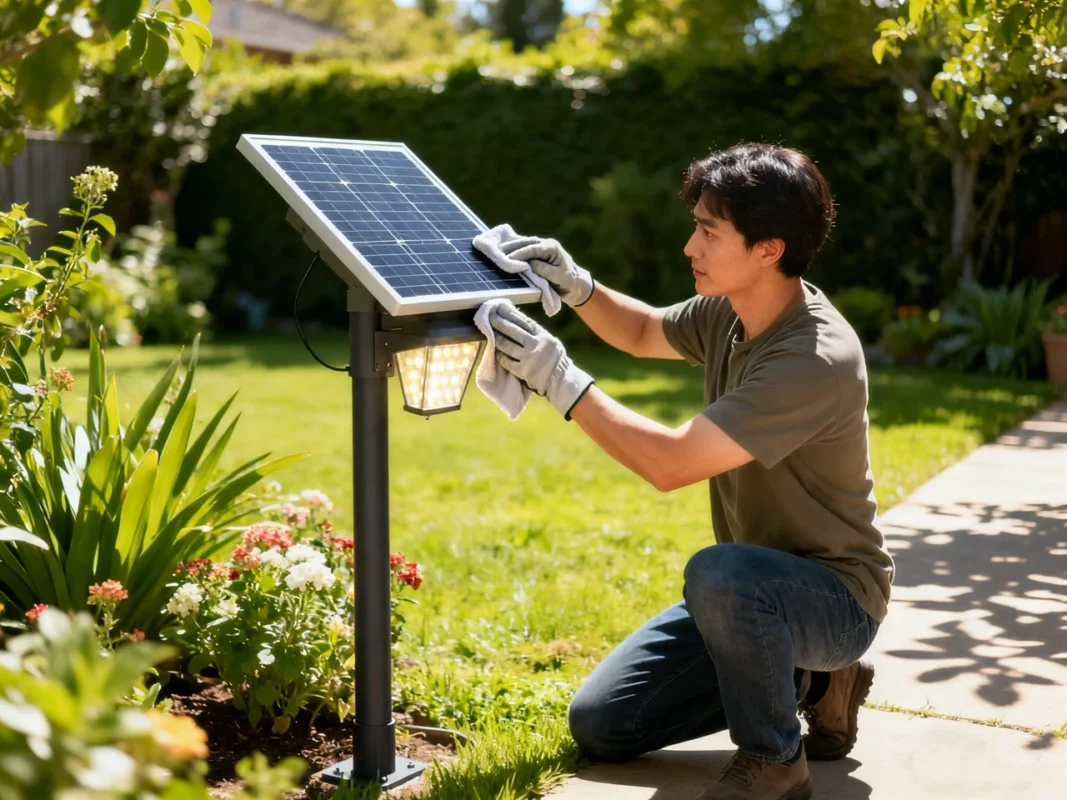
- Wipe the solar panel and motion sensor lens regularly with a soft, damp cloth.
- Avoid abrasive cleaners that could scratch the surface or damage sensitive components.
- Ensure that no nearby objects, such as plants or decorations, block the solar lamp motion sensor.
Regular cleaning keeps your solar light detector functioning accurately, preventing false triggers or failure to activate.
- Monitor and Replace Batteries
Rechargeable batteries gradually lose capacity over time:
- Inspect the battery every 12–18 months for signs of wear or corrosion.
- Test battery performance if the light appears dim or fails to stay on all night.
- Replace the battery with the correct type to maintain optimal energy storage and solar light sensor performance.
A healthy battery is essential for consistent operation of the light sensor solar system.
- Adjust Sensor Settings Appropriately
Most solar lights allow you to fine-tune settings for LUX, TIME, and SENS:
- LUX (Light Threshold): Adjust the level at which the sensor activates the LED.
- TIME (Duration): Set how long the light remains on after motion is detected.
- SENS (Sensitivity): Control the range and responsiveness of the solar lamp motion sensor.
Regularly reviewing and adjusting these settings ensures the sensor performs reliably in changing environmental conditions.
- Protect Against Moisture and Extreme Weather
Even weather-resistant solar light sensors can be affected by prolonged exposure:
- Check that seals and housings are intact to prevent water infiltration.
- Clear snow or ice from the panel during winter to maintain charging efficiency.
- In areas with frequent heavy rain or storms, inspect lights periodically to prevent moisture damage.
Maintaining the protective integrity of the light housing preserves both the solar light detector and the motion sensor.
- Proper Placement and Angle
Strategic placement enhances both performance and energy efficiency:
- Position the motion sensor at a height and angle that maximizes detection of pedestrian or vehicle movement.
- Avoid directing the sensor toward busy roads or reflective surfaces that may cause false triggers.
- Ensure the solar panel is tilted to capture optimal sunlight without being obstructed.
Well-placed lights reduce unnecessary energy consumption and improve the responsiveness of the solar lamp motion sensor.
- Seasonal Inspection
Environmental conditions change throughout the year, impacting performance:
- Check for new shadows from growing plants or construction that may reduce sunlight exposure.
- Adjust the sensor angle or panel tilt seasonally to compensate for changing sun positions.
- Perform a test run after extreme weather events to confirm proper functionality.
Regular seasonal maintenance ensures your solar light sensor continues to operate reliably, even in dynamic outdoor environments.
- Test Functionality Periodically
Routine testing helps detect issues early:
- Cover the sensor during daylight or wait until nightfall to simulate darkness and verify automatic activation.
- Walk within the sensor’s range to confirm motion detection is working as intended.
- Monitor the duration and brightness of the LED to ensure it aligns with settings and expectations.
Consistent testing identifies potential problems before they affect performance, preserving the lifespan of your light sensor solar system.
When to Replace vs When to Repair Your Solar Light Sensor
Knowing whether to repair or replace a solar light sensor is key to maintaining reliable outdoor lighting while avoiding unnecessary expenses. While many issues can be resolved through maintenance or adjustments, there are times when replacement is the most practical solution. Understanding the signs that indicate repair or replacement will help you make informed decisions for your light sensor solar system.
When to Repair Your Solar Light Sensor
Repairing a solar light sensor is often the first step when the system is malfunctioning but not beyond salvage. Common situations where repair is sufficient include:
- Dirty or Obstructed Panels and Sensors
Often, poor performance is caused by debris or grime covering the solar light detector or sensor lens. Cleaning and removing obstructions can restore full functionality without replacement.
- Battery or Wiring Issues
A weak or improperly connected rechargeable battery is a frequent cause of inconsistent lighting. Tightening connections, replacing the battery, or correcting loose wires can solve the problem while keeping the original solar lamp motion sensor intact.
- Settings Misconfiguration
Many lights allow for adjustments of LUX, TIME, and SENS. Misconfigured settings can prevent the solar light sensor from operating correctly. Recalibrating these settings is often all that’s needed.
- Minor Moisture or Environmental Effects
Temporary sensor malfunctions due to moisture or seasonal environmental changes can usually be fixed by drying out the components, resealing the housing, or repositioning the light.
In general, repair is the preferred approach if the issue is related to environmental factors, routine maintenance, or minor wear. This is often more cost-effective than replacement and allows your existing light sensor solar system to continue functioning efficiently.
When to Replace Your Solar Light Sensor
Replacement becomes necessary when repair is no longer sufficient to restore proper operation. Indicators that it’s time to replace your solar light sensor include:
- Persistent Malfunction After Maintenance
If cleaning, battery replacement, and recalibration do not restore functionality, the sensor or controller may be internally damaged beyond repair.
- Significant Component Wear
Over time, batteries lose capacity, LEDs dim, and sensors degrade. If multiple components are failing simultaneously, replacement may be more practical than repairing each part individually.
- Frequent False Triggers or Sensor Failure
When a solar lamp motion sensor or light detector consistently misfires—turning on at inappropriate times or failing to respond to motion—this often signals irreparable internal damage.
- Corrosion or Water Damage
Severe corrosion, rust, or water infiltration can permanently compromise the solar light sensor and related circuitry. In these cases, replacement ensures long-term reliability.
- Obsolete Technology
Older solar lights may be less energy-efficient or lack advanced sensor capabilities. Upgrading to a new system can improve performance, extend battery life, and offer enhanced motion detection.
Making the Decision: Repair vs Replacement
When deciding between repair and replacement, consider:
- Cost-effectiveness: Minor issues like dirt, misalignment, or battery replacement are cheaper to fix. Major failures or multiple worn components often justify replacement.
- Time and Effort: Extensive troubleshooting for repeated failures may not be worth it if a new solar light sensor system guarantees better reliability.
- Performance Expectations: If your current system no longer meets illumination, motion detection, or energy efficiency needs, replacement ensures your outdoor lighting performs optimally.
A practical approach is to attempt simple repairs first—cleaning, battery replacement, recalibration—before considering full replacement. This balances cost, efficiency, and long-term performance for your light sensor solar setup.
Conclusion
A solar light sensor is an elegant, eco-friendly way to automate your outdoor lighting. Whether you’re using a basic dusk-to-dawn detector or a more sophisticated solar lamp motion sensor, understanding how it works—and how to maintain or fix it—ensures long-term reliability and performance.
By following the steps above (cleaning, checking batteries, adjusting settings, and possibly resetting), you can resolve most issues without needing to replace your entire light. However, when the sensor or controller is irreparably damaged, knowing when to repair or replace is key to smart maintenance. And with a little care and seasonal attention, your solar sensor lights can be a dependable, low-maintenance solution to brighten your outdoor space.
If you run into any problems, don’t hesitate to reach out to a lighting technician—or post detailed questions in trusted community forums. With good habits and solid knowledge, you’ll get the most from your solar-powered lighting system for years to come.
Frequently Asked Questions About Solar Light Sensors
What is a solar light sensor?
A solar light sensor is a device that detects ambient light levels and automatically controls a solar-powered light. It ensures that the light turns on at dusk and off at dawn, reducing the need for manual operation and conserving battery power. Many modern solar lights also integrate a solar lamp motion sensor, which responds to movement for added security and efficiency.
How does a solar light sensor work?
A solar light sensor uses a solar light detector or photocell to measure the intensity of ambient light. During the day, the solar panel charges the battery while the sensor keeps the LED off. When light levels drop at dusk, the sensor signals the controller to activate the LED. Some lights include a motion sensor, which increases brightness or duration when movement is detected, combining automatic light control with energy-efficient motion response.
Can you fix a solar light sensor?
Yes, many issues with a solar light sensor can be repaired. Common fixes include:
• Cleaning the solar panel and sensor lens
• Replacing or reconnecting the battery
• Adjusting sensor settings (LUX, TIME, SENS)
• Repositioning the light for better sunlight exposure
• Drying out moisture or resealing the housing
Repair is usually feasible for minor malfunctions, but persistent failures may require component replacement.
Do solar motion detector lights work?
Absolutely. Solar lamp motion sensors detect movement within a designated range and trigger illumination when motion is present. This approach enhances security, saves energy by limiting full brightness to times of activity, and provides visibility exactly when it’s needed. Proper placement and correct sensor settings are key for optimal performance.
What are solar sensor light disadvantages?
While solar light sensors offer convenience and energy efficiency, there are some limitations:
• Dependence on sunlight for battery charging
• Reduced performance in shaded areas or during cloudy days
• Battery degradation over time
• Possible false triggers from nearby lights or moving shadows
• Limited motion detection range in some models
Understanding these drawbacks helps you optimize placement, maintenance, and settings to minimize issues.
How to fix solar lights that don’t turn on at night?
If your light sensor solar system isn’t activating:
• Check for debris covering the sensor or solar panel
• Ensure the battery is charged and connections are secure
• Adjust the LUX setting to match ambient darkness levels
• Confirm the sensor isn’t obstructed by nearby lights or shadows
Following these steps often restores functionality without needing to replace the sensor.
How to reset solar lights?
To reset a solar light sensor:
1. Turn off the light completely
2. Remove the battery if possible
3. Wait 30 seconds to one minute
4. Reinstall the battery and turn the light back on
This process clears temporary glitches in the sensor or controller.
Why is my solar light sensor turning on during the day?
If your solar light sensor activates in daylight:
• The sensor may be dirty or blocked, causing incorrect light detection
• Nearby bright lights could confuse the solar light detector
• The sensor may be malfunctioning or misaligned
Cleaning, recalibrating, and repositioning usually resolves the issue.
Can a solar light sensor detect small animals or insects?
Yes, but sensitivity varies. Most solar lamp motion sensors are calibrated to detect human-sized movement. Smaller animals may or may not trigger the light depending on the SENS setting and sensor type. Adjusting sensitivity can help reduce false triggers from insects or small pets.
How can I maximize the efficiency of my solar light sensor?
To ensure your solar light sensor works efficiently:
• Position the solar panel for maximum sunlight
• Keep the panel and sensor clean
• Regularly inspect the battery and replace if needed
• Adjust LUX, TIME, and SENS settings for your environment
• Check for obstructions or environmental changes seasonally
Following these practices ensures energy-efficient operation and consistent illumination.