

Table of Contents
Ceiling fans used to be simple devices—pull a chain, adjust the speed, and flip a wall switch for the light. But today, the smart ceiling fan with light has completely changed the game. Instead of getting up to change settings, you can adjust airflow, brightness, schedules, and even temperature response from your phone or voice assistant.
If you’ve ever laid in bed wishing you could slow down your fan without getting up, you already understand why the smart ceiling fan with light has become so popular in modern homes.
But here’s the real question people ask before installing one:
Is a smart fan actually worth it?Will it reduce energy costs?Is installation complicated?And what makes one smart fan better than another?
This guide answers those questions with practical insights gathered from real-world installations and field experience. By the time you’re done reading, you’ll know whether a smart ceiling fan with light is right for your home, how to choose the best one, and how to set it up correctly.
What Exactly Is a Smart Ceiling Fan with Light?
At its core, a smart ceiling fan with light is a ceiling fan that connects to your home network, allowing remote and automated control through apps, voice commands, or smart home systems.
Instead of relying solely on wall switches, these fans integrate wireless technology that allows:
- App-based control
- Voice commands
- Scheduling and automation
- Remote adjustments from anywhere
A modern smart ceiling fan with light typically combines three major components:
- A fan with advanced motor technology
- Integrated LED lighting
- Smart connectivity modules
Many models function as a wifi ceiling fan with remote, meaning you can control the fan with both a handheld controller and a smartphone.
Why Homeowners Are Switching to Smart Ceiling Fans
Over the past few years, the smart ceiling fan with light has quietly moved from being a niche smart-home gadget to a practical upgrade many homeowners now consider standard. It’s not just about having a “high-tech” fan on the ceiling. In reality, most people switch to a smart ceiling fan with light because it solves everyday problems—comfort, convenience, and rising energy costs.
From bedrooms to living rooms, the demand for a smart ceiling fan with light has grown rapidly as homeowners discover how much control and efficiency these systems provide. After installing and testing multiple setups in different homes, it becomes clear that the appeal goes far beyond novelty.
Let’s look at the real reasons more households are replacing traditional fans with a smart ceiling fan with light.
Everyday Convenience That Traditional Fans Can’t Match
The first thing people notice after installing a smart ceiling fan with light is how much easier it makes daily life. With traditional fans, adjusting speed or lighting often means getting up, pulling a chain, or walking across the room to a wall switch.
A wifi ceiling fan with remote removes that hassle completely.
Instead of interrupting what you’re doing, you can simply:
- Adjust fan speed from a handheld remote
- Change lighting levels without leaving your seat
- Control the fan from a smartphone app
- Schedule automatic operation throughout the day
For example, an app controlled ceiling fan allows homeowners to adjust airflow while lying in bed, sitting on the couch, or even when they’re not home.
This level of control might seem like a small luxury at first, but many homeowners say it quickly becomes something they rely on every day.
Voice Control Makes Home Comfort Effortless
Another reason homeowners upgrade to a smart ceiling fan with light is the ability to control it using voice commands.
A voice control ceiling fan allows simple commands like:
- “Turn the fan to medium.”
- “Dim the ceiling fan light.”
- “Turn off the fan in the bedroom.”
For busy households, hands-free control can be surprisingly useful. Imagine cooking dinner with your hands full and being able to adjust airflow without touching a switch.
This functionality transforms the smart ceiling fan with light from a passive appliance into an interactive part of the home environment.
Significant Energy Efficiency Improvements
Energy efficiency is another major driver behind the growing popularity of the smart ceiling fan with light. Modern smart fans often use advanced motor technology designed to reduce power consumption without sacrificing airflow.
Most high-performance models operate as a dc motor smart fan, which uses dramatically less electricity than traditional AC motor fans.
In practical terms, this means:
- Lower operating costs
- Reduced electricity usage
- Longer motor lifespan
- Quieter performance
A dc motor smart fan can use up to 60–70% less energy compared to older fan motors. When combined with automation features, the energy efficient smart fan becomes an effective way to reduce household energy consumption.
Automation Helps Eliminate Energy Waste
Traditional fans often run longer than necessary. People forget to turn them off when leaving a room or fall asleep with the fan running all night.
A smart ceiling fan with light solves this problem through automation.
Using an app controlled ceiling fan, homeowners can create schedules such as:
- Turn the fan off automatically at midnight
- Increase airflow during the warmest part of the day
- Activate the fan when indoor temperature rises
These features turn the smart ceiling fan with light into an intelligent climate tool rather than just a basic appliance.
Over time, the energy savings from an energy efficient smart fan can add up, especially in warm climates where fans run frequently.
Better Comfort Through Smarter Airflow Control
Another reason homeowners switch to a smart ceiling fan with light is the improved comfort these fans provide. Unlike traditional fans that typically offer three speeds, many smart models include multiple speed levels.
This allows for much finer control over airflow.
Instead of choosing between “too slow” and “too strong,” a dc motor smart fan can maintain a comfortable air movement that feels natural.
Many homeowners notice that rooms feel more evenly cooled when using a smart ceiling fan with light, especially when combined with air conditioning. The fan helps circulate air more effectively, reducing temperature differences across the room.
Integrated Lighting Improves Room Functionality
Lighting is another reason people upgrade to a smart ceiling fan with light. Modern designs include built-in LED lighting that offers much more flexibility than traditional fixtures.
With an app controlled ceiling fan, users can:
- Adjust brightness levels
- Set mood lighting for different times of day
- Dim lights gradually in the evening
- Turn lights on remotely
This transforms the smart ceiling fan with light into both a cooling system and a smart lighting solution.
In spaces like bedrooms and living rooms, this dual functionality reduces the need for multiple devices while improving overall convenience.
Remote Access Adds Another Layer of Control
One of the more overlooked benefits of a wifi ceiling fan with remote is remote access.
Because the fan connects to your home network, you can control the smart ceiling fan with light even when you’re away from home.
For example:
- Turn the fan off if you forgot before leaving
- Start air circulation before arriving home
- Check whether lights were left on
These capabilities make the smart ceiling fan with light more than just a comfort upgrade—it becomes part of a connected home system designed to improve efficiency and control.
Quieter Operation Improves Living Spaces
Noise is another reason homeowners replace older fans with a smart ceiling fan with light.
Many traditional fans develop humming sounds or blade wobble over time. In contrast, a dc motor smart fan typically runs much more quietly due to improved motor design and balanced speed control.
In bedrooms or home offices, this quieter performance makes a noticeable difference. A well-designed energy efficient smart fan can operate almost silently while still delivering strong airflow.
For light sleepers or people working from home, the reduced noise is often one of the most appreciated upgrades.
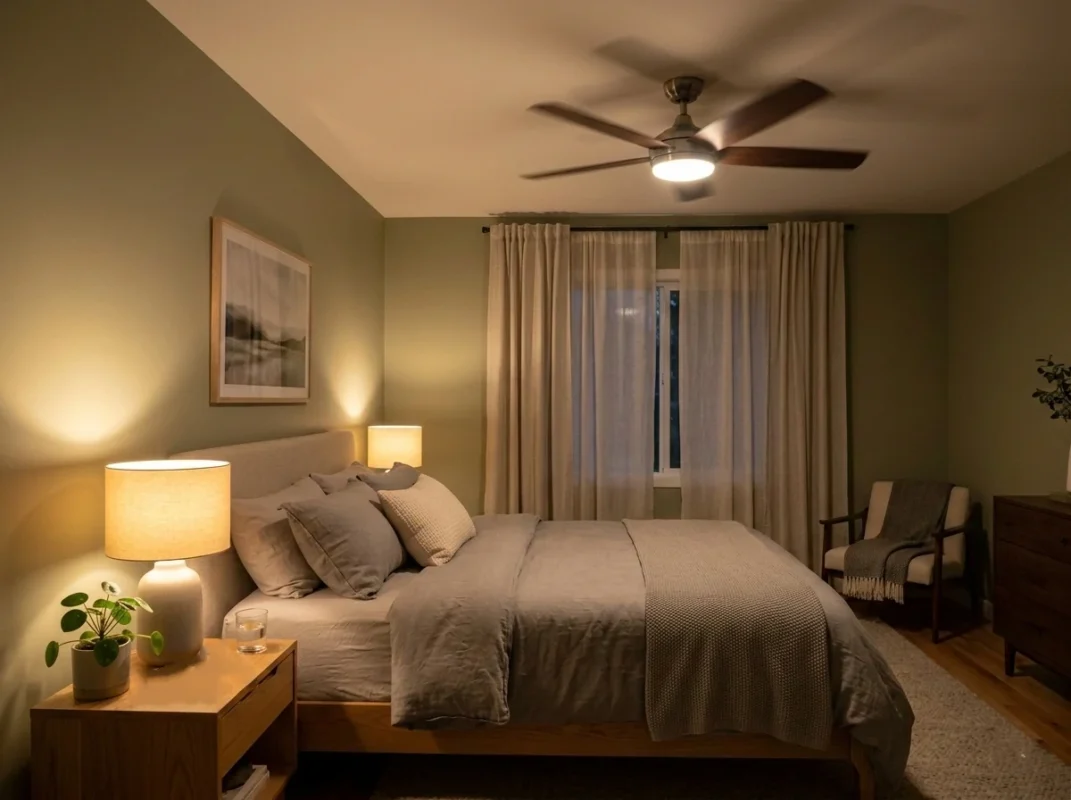
Key Features to Look for in a Smart Ceiling Fan with Light
Shopping for a smart ceiling fan with light can feel surprisingly complicated at first. A quick search online reveals dozens of options that all look similar but vary widely in performance, connectivity, and efficiency. Some models offer advanced automation and ultra-quiet operation, while others are little more than traditional fans with a wireless remote.
From years of observing real installations and homeowner feedback, one thing becomes clear: the difference between a great smart ceiling fan with light and a frustrating one usually comes down to a handful of critical features.
If you’re planning to install a smart ceiling fan with light, these are the features that truly matter—not just for convenience, but for long-term reliability and energy savings.
Reliable WiFi Connectivity for Remote Control
The foundation of any smart ceiling fan with light is its connectivity. Without stable wireless communication, the “smart” features quickly lose their value.
A well-designed model should operate as a wifi ceiling fan with remote, meaning it connects directly to your home’s wireless network while also offering a handheld controller as backup.
Reliable WiFi connectivity allows homeowners to:
- Control the fan from anywhere using a smartphone
- Adjust airflow remotely before entering a room
- Turn lights on or off when away from home
- Monitor fan usage through an app
In practice, a wifi ceiling fan with remote gives you flexibility. If your phone isn’t nearby, the remote works instantly. If you’re outside the house, the mobile app still provides full control of the smart ceiling fan with light.
For the best experience, experts recommend choosing a smart ceiling fan with light that connects directly to WiFi rather than relying solely on Bluetooth, which has limited range.
App Control That’s Actually Useful
One of the most valuable features of a modern smart ceiling fan with light is full smartphone integration. A well-designed app controlled ceiling fan does far more than simply turn the fan on or off.
Through the mobile interface, homeowners can typically:
- Adjust fan speeds with precision
- Turn lighting on or off
- Dim the integrated light
- Set timers or schedules
- Create automated routines
For example, an app controlled ceiling fan can be programmed to start circulating air before bedtime or shut off automatically in the middle of the night.
These small conveniences add up quickly. After a few weeks of use, many homeowners find they rarely touch the wall switch anymore.
Because of this, choosing a smart ceiling fan with light with an intuitive app interface is extremely important. Complicated or unreliable apps can quickly turn a smart device into a frustrating one.
Voice Control for Hands-Free Operation
Voice control has become a standard feature in many smart homes, and the voice control ceiling fan fits naturally into that ecosystem.
With a voice control ceiling fan, homeowners can adjust airflow or lighting simply by speaking.
Typical voice commands include:
- “Turn the fan to low.”
- “Set the fan to high speed.”
- “Dim the ceiling fan light.”
- “Turn off the fan in the living room.”
Hands-free control is particularly helpful in everyday situations—when cooking, cleaning, or carrying items around the house.
When choosing a smart ceiling fan with light, make sure it supports voice integration as a voice control ceiling fan, since this greatly improves usability over time.
DC Motor Technology for Quiet and Efficient Performance
One of the most important technical features in a smart ceiling fan with light is the motor type.
Traditional ceiling fans typically use AC motors, which are reliable but not particularly efficient. In contrast, most advanced smart fans operate as a dc motor smart fan.
A dc motor smart fan offers several major advantages:
- Significantly lower electricity consumption
- Much quieter operation
- More speed levels for precise airflow control
- Longer lifespan due to reduced mechanical stress
In real-world usage, a dc motor smart fan can operate at extremely low speeds for gentle air circulation or ramp up to powerful airflow when needed.
The quiet operation is especially noticeable in bedrooms and home offices. Many homeowners report that a dc motor smart fan produces barely audible sound compared to older fan motors.
For anyone prioritizing comfort and efficiency, a smart ceiling fan with light that uses a DC motor is almost always the better choice.
Energy Efficiency That Reduces Cooling Costs
Energy efficiency is another feature that makes a smart ceiling fan with light attractive to homeowners.
A well-designed energy efficient smart fan reduces electricity consumption in two main ways.
First, the dc motor smart fan technology itself uses far less power than older motors. Second, smart automation prevents the fan from running unnecessarily.
For example, an energy efficient smart fan can be programmed to:
- Turn off automatically when you leave the house
- Adjust speed based on time of day
- Operate only during peak heat hours
By improving air circulation, the smart ceiling fan with light can also help distribute cooled air more evenly throughout the room. This allows many homeowners to increase their thermostat setting slightly without sacrificing comfort.
Over time, the efficiency benefits of an energy efficient smart fan can contribute to noticeable energy savings.
Adjustable LED Lighting and Dimming Capability
Lighting quality is another key feature to evaluate when choosing a smart ceiling fan with light.
Unlike traditional fans that rely on basic light kits, modern smart models usually include integrated LED systems that offer adjustable brightness.
With a smart ceiling fan with light, users can often:
- Dim the lighting for evening relaxation
- Increase brightness for reading or working
- Set lighting schedules
- Turn lights on remotely through the app
The lighting component becomes especially useful in bedrooms and living rooms, where adjustable brightness helps create a comfortable atmosphere throughout the day.
When paired with an app controlled ceiling fan, lighting adjustments can be made instantly from a smartphone or remote.
Multiple Fan Speeds for Precise Airflow
Older ceiling fans typically offer three speed settings: low, medium, and high. While that works in basic situations, it doesn’t always provide ideal comfort.
A modern smart ceiling fan with light usually offers many more speed levels. This is made possible by the dc motor smart fan design, which allows smoother and more precise speed adjustments.
More speed options allow homeowners to fine-tune airflow depending on the season or room conditions.
For example:
- Very low speed for quiet nighttime airflow
- Medium speed for everyday comfort
- High speed for hot summer afternoons
This level of control is one of the reasons many people prefer a smart ceiling fan with light over traditional models.
Scheduling and Automation Features
Automation is what truly separates a smart ceiling fan with light from a standard fan.
Through scheduling functions in an app controlled ceiling fan, homeowners can automate operation based on daily routines.
Common automation examples include:
- Turning the fan on every evening at sunset
- Automatically slowing the fan overnight
- Shutting the fan off when everyone leaves the house
These features make the smart ceiling fan with light feel less like a manual appliance and more like a responsive part of the home environment.
Over time, automation improves both comfort and efficiency.
Remote Control as a Backup Option
While smartphone control is extremely convenient, many homeowners still appreciate the simplicity of a physical remote.
That’s why a well-designed smart ceiling fan with light usually operates as a wifi ceiling fan with remote.
The remote control allows instant adjustments without opening an app, which can be helpful for guests or family members who prefer a simpler interface.
In everyday use, many people alternate between the remote and the mobile app depending on the situation. This dual-control approach makes the smart ceiling fan with light easier for everyone in the household to use.
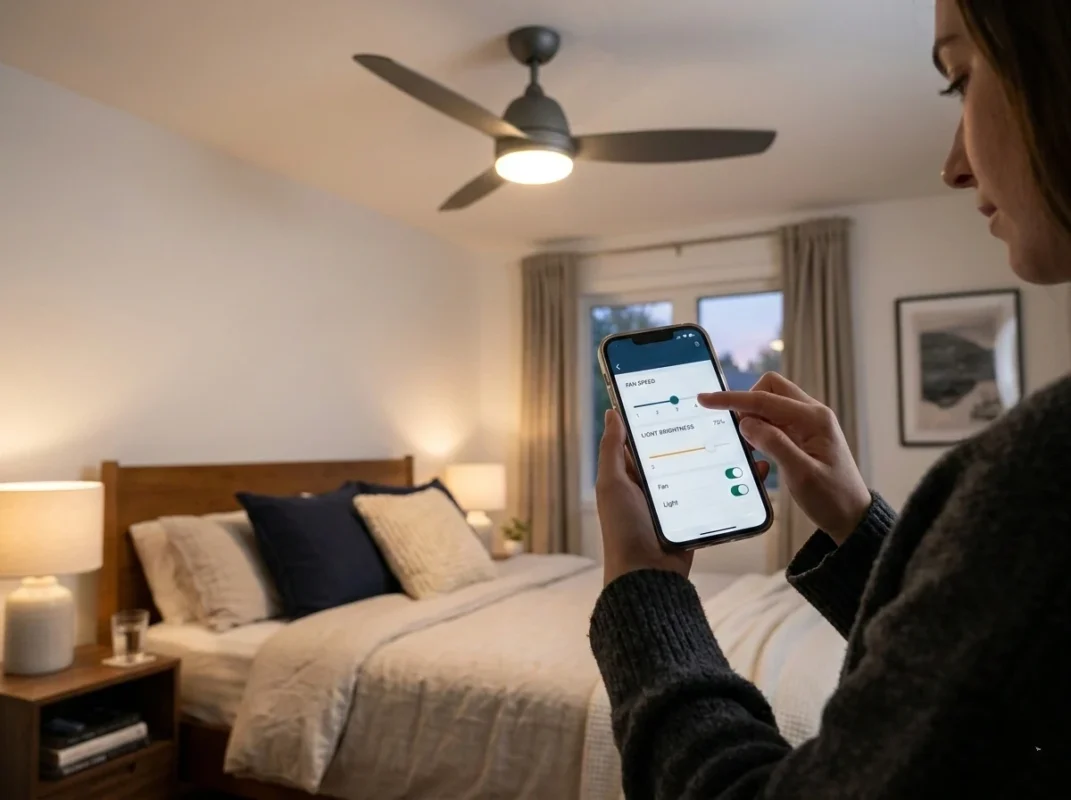
Real Energy Savings: How Smart Fans Reduce Electricity Costs
Cooling accounts for a large portion of household energy consumption.
But installing an energy efficient smart fan can significantly reduce reliance on air conditioning.
Air Circulation Improves AC Efficiency
A smart ceiling fan with light helps distribute cool air more evenly.
This allows you to raise the thermostat by 3–5°F while maintaining comfort.
That alone can reduce cooling costs by 10–15% annually.
Automation Prevents Energy Waste
Traditional fans often run when no one is in the room.
But an app controlled ceiling fan allows:
- Occupancy-based scheduling
- Auto shutoff timers
- Remote power management
These features make a smart ceiling fan with light far more efficient than conventional fans.
Where Smart Ceiling Fans Work Best
A smart ceiling fan with light can technically be installed in almost any room with proper ceiling height and electrical wiring. However, not every space benefits from smart features in the same way. Through real-world home installations and user feedback, certain areas consistently deliver the best results when upgraded to a smart ceiling fan with light.
The combination of airflow, lighting control, and automation makes these fans especially effective in rooms where comfort, convenience, and daily usage matter most. When placed strategically, a smart ceiling fan with light can improve air circulation, reduce reliance on air conditioning, and simplify lighting control throughout the home.
Below are the spaces where homeowners typically get the most value from installing a smart ceiling fan with light.
Bedrooms – The Most Popular Place for a Smart Ceiling Fan
Bedrooms are easily the most common place people install a smart ceiling fan with light, and for good reason. Comfort during sleep is highly sensitive to temperature and airflow, and even small adjustments can make a noticeable difference.
With a traditional fan, changing the speed or turning off the light means getting out of bed. A wifi ceiling fan with remote eliminates that inconvenience completely.
From bed, homeowners can:
- Adjust airflow instantly with the remote
- Dim the lighting without standing up
- Turn the fan off after falling asleep
- Control everything from a smartphone
Many people also rely on the automation features of an app controlled ceiling fan to create sleep-friendly routines. For example, the fan can start at a higher speed when you go to bed and gradually slow down during the night.
Another advantage is the quiet performance of a dc motor smart fan. Compared with older fan motors that produce noticeable humming, modern DC motors run extremely quietly. This makes the smart ceiling fan with light ideal for bedrooms where low noise levels are essential for restful sleep.
Because of these benefits, many homeowners install their first smart ceiling fan with light in the bedroom before adding them to other rooms.
Living Rooms – Comfort and Control in the Most Used Space
Living rooms are another excellent location for a smart ceiling fan with light. These spaces tend to be larger and used throughout the day, which means airflow and lighting flexibility are particularly important.
A smart ceiling fan with light improves comfort in several ways in a living room setting. First, it helps circulate air across a wider area, preventing the hot and cold zones that sometimes occur in larger spaces. Second, the integrated lighting system provides adjustable brightness depending on the activity.
For example, homeowners often use different lighting levels for:
- Watching movies
- Reading or working
- Hosting guests
- Relaxing in the evening
Using an app controlled ceiling fan, these adjustments can be made instantly without walking across the room.
Another benefit in living rooms is voice operation. A voice control ceiling fan allows users to adjust airflow or lighting without interrupting conversations or activities. This feature becomes especially convenient when the fan is installed in high or vaulted ceilings where traditional pull chains are impractical.
In many homes, the smart ceiling fan with light becomes the primary lighting and airflow solution for the living room.
Home Offices – Quiet Airflow for Better Focus
With more people working remotely, home offices have become an increasingly important place to maintain a comfortable environment. Temperature and air circulation can directly affect productivity and focus.
Installing a smart ceiling fan with light in a home office offers several advantages.
First, the quiet operation of a dc motor smart fan ensures that airflow doesn’t interfere with concentration or video calls. Many DC motor fans operate so quietly that they’re barely noticeable during meetings.
Second, the lighting flexibility of a smart ceiling fan with light helps create better working conditions. Adjustable brightness can support tasks like reading documents, working on a computer, or participating in virtual meetings.
Third, automation can improve daily routines. An app controlled ceiling fan can automatically start circulating air at the beginning of the workday and shut down in the evening.
Because home offices often require a balance of lighting and ventilation, the smart ceiling fan with light provides an efficient all-in-one solution.
Dining Areas – Subtle Comfort Without Disruption
Dining areas benefit from air circulation, but traditional fans sometimes create uncomfortable airflow during meals. A smart ceiling fan with light solves this problem through precise speed control.
Unlike older fans with only three speed options, a dc motor smart fan often includes multiple speed levels. This allows homeowners to maintain gentle air movement without creating strong drafts that disturb the dining experience.
Lighting also plays an important role in dining spaces. A smart ceiling fan with light allows users to dim lights for a relaxed dinner atmosphere or brighten the room during gatherings.
Using a wifi ceiling fan with remote, adjustments can be made quickly without leaving the table.
These subtle but useful features make the smart ceiling fan with light a practical upgrade for dining areas where both lighting and airflow need to be carefully balanced.
Large Open-Concept Spaces – Improved Air Circulation
Modern homes often feature open-concept layouts where living rooms, kitchens, and dining areas share the same space. In these environments, maintaining consistent airflow can be challenging.
A smart ceiling fan with light helps distribute air evenly across large areas, preventing certain zones from becoming warmer than others.
Because a dc motor smart fan offers precise speed control, homeowners can adjust airflow to match the size and layout of the room.
In large open spaces, multiple smart ceiling fan with light units may be installed to create balanced air circulation. Using an app controlled ceiling fan, each fan can be adjusted individually or synchronized to operate together.
This coordinated airflow improves comfort without relying entirely on air conditioning.
Guest Rooms – Easy Operation for Visitors
Guest rooms are another practical location for a smart ceiling fan with light. While guests may not be familiar with smart home systems, the dual-control design of a wifi ceiling fan with remote makes operation simple.
Visitors can use the remote control just like a traditional fan, while the homeowner retains the ability to manage settings through the app.
For example, the host can:
- Turn off the fan remotely after guests leave
- Adjust lighting for the next stay
- Ensure energy isn’t wasted when the room is empty
These small conveniences make the smart ceiling fan with light a thoughtful addition to guest spaces.
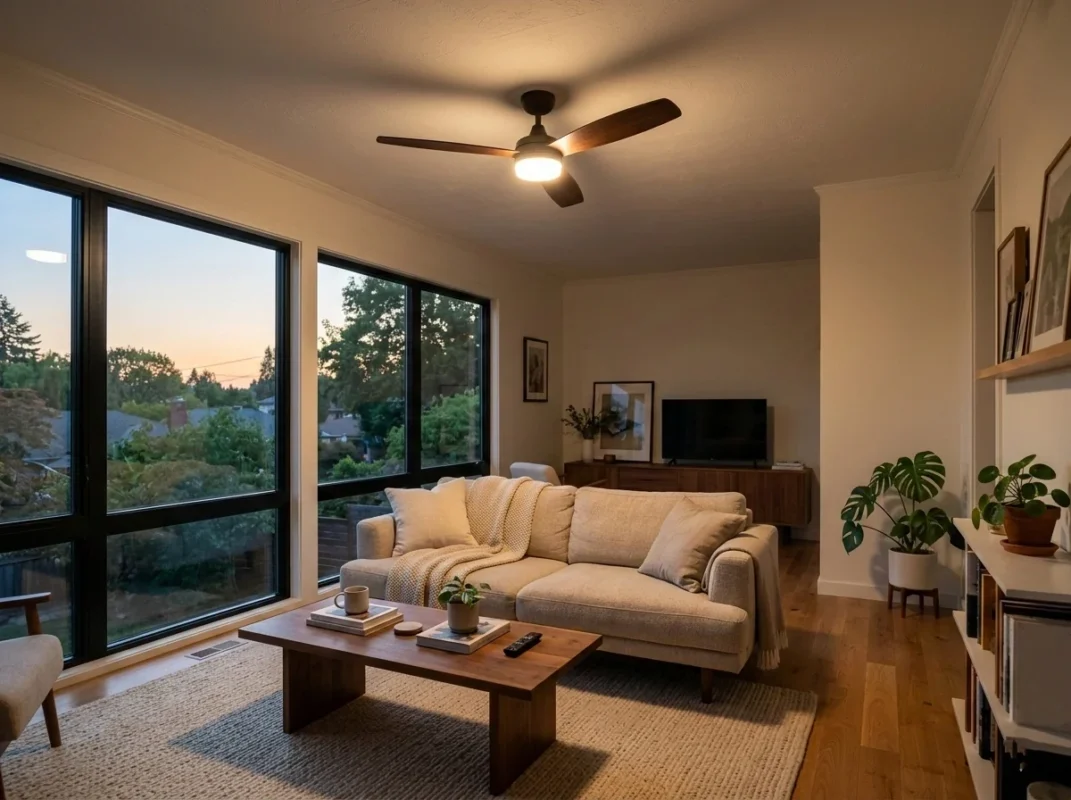
Installing a Smart Ceiling Fan with Light
Installing a smart ceiling fan with light is one of the most practical upgrades homeowners can make to improve both comfort and energy efficiency. While the technology inside these fans is advanced, the physical installation process is often very similar to installing a traditional ceiling fan. For many households, replacing an old fixture with a smart ceiling fan with light can be completed in about an hour if the existing wiring is already in place.
However, proper installation matters. A poorly mounted fan can wobble, create noise, or reduce airflow efficiency. Since a smart ceiling fan with light includes additional electronics for connectivity, ensuring correct wiring and secure mounting is even more important.
Before beginning installation, it helps to understand the basic tools, preparation steps, and safety considerations involved.
Preparing the Room and Electrical Connection
The first step when installing a smart ceiling fan with light is confirming that the ceiling junction box is designed to support a ceiling fan. Unlike standard lighting fixtures, fans generate constant rotational force. This means the electrical box must be rated for fan support.
Many older homes have light fixture boxes that are not strong enough for a fan. If that’s the case, the box should be replaced with a fan-rated ceiling mount before installing the smart ceiling fan with light.
Before any wiring begins, always turn off power at the circuit breaker. This is one of the most important safety steps when working with electrical devices. Using a voltage tester ensures that the wires are not carrying current.
A typical installation environment for a smart ceiling fan with light should also provide:
- A stable ladder or step stool
- Adequate ceiling height for safe airflow
- Enough clearance between blades and walls
- Reliable access to the home’s WiFi signal
Because many models operate as a wifi ceiling fan with remote, strong wireless coverage helps ensure smooth setup later when pairing the fan to the network.
Tools Typically Needed for Installation
Most homeowners are surprised to find that installing a smart ceiling fan with light requires only a few basic tools. Professional installers often complete the job using simple hand tools.
Common tools include:
- Screwdrivers (Phillips and flat-head)
- Wire strippers
- Electrical tape
- Wire connectors
- Ladder
- Voltage tester
In many cases, these tools are enough to complete the installation of a smart ceiling fan with light safely and efficiently.
Even though the fan includes smart technology such as an app controlled ceiling fan system or voice control ceiling fan capability, the physical assembly is still mechanical and straightforward.
Removing the Existing Fixture
If you are replacing an older fan or light fixture, the next step is removing the existing unit.
Start by unscrewing the canopy that covers the ceiling wiring. After lowering the fixture slightly, the wiring connections will become visible.
Typical wires include:
- Live (usually black)
- Neutral (usually white)
- Ground (green or copper)
Disconnect the wires carefully and remove the old fixture from the mounting bracket.
Once the old fixture is removed, the ceiling area should be inspected to confirm that the mounting box is stable and suitable for a smart ceiling fan with light installation.
Installing the Mounting Bracket
Every smart ceiling fan with light includes a mounting bracket that attaches to the ceiling junction box. This bracket supports the entire weight of the fan, so it must be secured tightly.
The bracket is typically fastened using two or more machine screws that anchor directly into the fan-rated electrical box.
At this stage, installers should double-check that the bracket is perfectly secure. Any looseness can cause vibration once the dc motor smart fan begins spinning.
Because many modern fans are designed as an energy efficient smart fan, they may operate at higher precision speeds. A stable mounting base ensures the fan remains quiet and balanced.
Wiring the Smart Ceiling Fan Correctly
Once the bracket is installed, the wiring process begins. This step connects the electrical system of the home to the smart ceiling fan with light.
Most fans include the following wires:
- Fan motor wire
- Light kit wire
- Neutral wire
- Ground wire
The wires are matched to the home’s electrical wiring using connectors.
If the smart ceiling fan with light includes a receiver for remote or wireless control, that receiver is typically installed between the ceiling wiring and the fan motor. This allows the fan to operate as a wifi ceiling fan with remote.
This receiver also enables the fan to function as an app controlled ceiling fan, allowing smartphone or voice commands to control speed and lighting.
Taking time to organize the wires neatly inside the canopy helps prevent interference with moving parts later.
Mounting the Fan Motor and Downrod
After wiring is complete, the fan motor assembly can be attached to the mounting bracket. Many smart ceiling fan with light designs use a hanging bracket that allows the motor to rest temporarily while wiring is completed.
Once the motor is secured, the downrod—if included—keeps the fan positioned at the correct height below the ceiling.
Downrods are especially useful for rooms with higher ceilings because they improve airflow performance. Proper positioning allows the dc motor smart fan to circulate air more effectively across the room.
At this stage, the smart ceiling fan with light begins to resemble its final installed form.
Attaching the Fan Blades
Next, the blades are attached to the motor housing. Each blade must be installed carefully to maintain proper balance.
Most fans include pre-drilled blade brackets that align easily with the motor assembly.
Even tightening of all screws is important. If one blade is slightly looser than the others, the smart ceiling fan with light may develop a wobble during operation.
Balanced blades help ensure that the energy efficient smart fan operates quietly and smoothly.
Setting Up WiFi and Smart Controls
After installation, the next step is configuring connectivity.
Most app controlled ceiling fan systems follow similar pairing steps.
Pairing With WiFi
Typical setup process:
- Download the fan control app
- Turn on pairing mode
- Connect to your WiFi network
- Assign a room name
- Test remote control
Once paired, the wifi ceiling fan with remote becomes fully functional.
Setting Automation Routines
A smart ceiling fan with light can run automated routines like:
Morning routine
Fan turns on at 7 AM
Night routine
Fan slows and light dims at 10 PM
Away mode
Fan shuts off automatically
These routines turn the smart ceiling fan with light into a smart home climate system.
Common Mistakes When Buying Smart Ceiling Fans
Many people make the mistake of focusing only on appearance.
But a smart ceiling fan with light should be evaluated on performance first.
Ignoring Motor Type
A cheap fan with an AC motor will never match the efficiency of a dc motor smart fan.
Always check motor specifications before buying.
Choosing Fans Without WiFi
Some fans advertise smart features but lack full connectivity.
A true smart ceiling fan with light should function as a wifi ceiling fan with remote.
Poor Room Size Matching
Blade span must match the room.
Typical recommendations:
| Room Size | Fan Size |
|---|---|
| Small room | 42–48 inches |
| Medium room | 48–54 inches |
| Large room | 60 inches+ |
A properly sized smart ceiling fan with light performs far better.
Maintenance Tips for Long-Term Performance
A smart ceiling fan with light is designed to run reliably for many years, especially when built with modern motor technology and LED lighting. However, like any mechanical and electronic device, long-term performance depends heavily on proper maintenance. The good news is that maintaining a smart ceiling fan with light is neither complicated nor time-consuming. In fact, a few simple habits can help keep the fan operating smoothly, quietly, and efficiently for a decade or longer.
From practical installation experience and homeowner feedback, the most common issues with ceiling fans—such as noise, wobbling, weak airflow, or connectivity problems—usually come from neglecting a few basic maintenance steps. By taking care of both the mechanical and smart features of your smart ceiling fan with light, you can protect the investment and ensure it continues working as an energy efficient smart fan for years to come.
Below are the most effective maintenance practices to keep a smart ceiling fan with light performing at its best.
Clean the Fan Blades Regularly
Dust buildup is one of the most common issues affecting a smart ceiling fan with light. Over time, dust accumulates on the blades and can reduce airflow efficiency. When the blades become coated with dust, the fan must work harder to circulate air, which reduces the effectiveness of the dc motor smart fan.
In addition, uneven dust buildup can slightly affect blade balance. This can lead to minor vibrations that eventually create noise during operation.
Experts generally recommend cleaning the blades of a smart ceiling fan with light every two to three months. In homes with pets or high dust levels, monthly cleaning may be better.
To clean the blades safely:
- Turn off power to the fan
- Use a soft cloth or microfiber duster
- Wipe both the top and bottom surfaces of each blade
- Avoid using excessive water or harsh chemicals
Keeping the blades clean helps the energy efficient smart fan deliver strong airflow while maintaining quiet operation.
Inspect and Tighten Mounting Hardware
Even a well-installed smart ceiling fan with light experiences small vibrations over time. After months or years of operation, these vibrations can gradually loosen screws or mounting components.
A quick inspection once or twice a year can prevent small issues from becoming bigger problems.
Homeowners should check:
- Blade attachment screws
- Blade bracket connections
- Downrod mounting hardware
- Ceiling bracket stability
If any hardware feels loose, tightening it immediately helps keep the smart ceiling fan with light balanced and stable.
Proper mounting is especially important for a dc motor smart fan, since these motors often support multiple speed levels. A stable installation ensures smooth operation across all speeds.
Keep the Motor Housing Free of Dust
While the blades collect the most visible dust, the motor housing of a smart ceiling fan with light can also accumulate dirt over time. Dust trapped around the motor vents may reduce airflow around the motor, which could increase operating temperatures.
Although modern dc motor smart fan designs are very efficient, good airflow around the motor helps ensure long-term reliability.
Cleaning the motor housing is simple:
- Turn off the fan and power supply
- Use a dry cloth or small brush
- Gently wipe around ventilation openings
Avoid spraying cleaning liquids directly onto the motor area. Keeping the motor housing clean allows the energy efficient smart fan to run cooler and quieter.
Check Blade Balance to Prevent Wobbling
One of the most noticeable problems with any ceiling fan is wobbling. While a smart ceiling fan with light is typically engineered for excellent balance, small shifts can occur over time.
Common causes include:
- Slightly loose blade screws
- Uneven dust buildup
- Minor blade misalignment
If a smart ceiling fan with light begins to wobble, start by tightening all blade screws and cleaning the blades. In most cases, this resolves the issue.
Balanced blades are particularly important for a dc motor smart fan, as smooth rotation allows the motor to maintain consistent airflow without additional strain.
Maintaining proper balance ensures the smart ceiling fan with light continues to operate quietly and efficiently.
Verify WiFi Connectivity Periodically
Because a smart ceiling fan with light often operates as a wifi ceiling fan with remote, its connectivity depends on a stable home network. If the router changes, passwords are updated, or the fan is moved to a different room, it may occasionally disconnect from the network.
Checking connectivity every few months helps ensure the smart features continue working properly.
If the fan appears offline in the mobile interface, reconnecting the app controlled ceiling fan usually solves the problem.
Typical steps include:
- Opening the fan control app
- Confirming the fan appears online
- Reconnecting to the home WiFi network if needed
Maintaining a reliable connection allows the smart ceiling fan with light to keep operating as a voice control ceiling fan and automation device.
Update the Control App When Necessary
Many homeowners forget that a smart ceiling fan with light relies on software as well as hardware. The mobile interface used to control an app controlled ceiling fan occasionally receives updates.
These updates may include:
- Improved stability
- Enhanced security
- Better device compatibility
- Expanded automation features
Updating the app ensures the smart ceiling fan with light continues to operate smoothly with the latest smart home systems.
Fortunately, most smartphone apps update automatically, so this maintenance step usually requires little effort.
Test Remote and Smart Controls
Even though a wifi ceiling fan with remote can be controlled through a smartphone, it’s still a good idea to occasionally test both control methods.
Checking both the remote and mobile interface ensures that the smart ceiling fan with light responds correctly to commands.
Homeowners should verify:
- Fan speed adjustments
- Light dimming functionality
- On/off commands
- Automation routines
If the fan responds slowly or inconsistently, reconnecting the app controlled ceiling fan to the WiFi network typically resolves the issue.
Routine testing keeps the voice control ceiling fan and app controls working reliably.
Replace Light Components When Needed
The lighting system inside a smart ceiling fan with light typically uses LED technology designed for long lifespans. However, like all lighting systems, performance can eventually decline after years of use.
Signs that the lighting system may need attention include:
- Reduced brightness
- Flickering lights
- Slow response when dimming
Fortunately, most lighting modules in a smart ceiling fan with light are designed to last many years before replacement becomes necessary.
Maintaining proper lighting performance ensures the smart ceiling fan with light continues to function as both an airflow system and a reliable lighting fixture.
Use Automation to Reduce Wear
One overlooked maintenance tip is simply using the smart features built into the fan.
Automation routines in an app controlled ceiling fan help prevent unnecessary operation. For example, scheduling the fan to turn off automatically when a room is empty reduces wear on the motor.
Because a dc motor smart fan is designed for efficient operation, it can run for long periods safely. However, using automation ensures the energy efficient smart fan operates only when needed.
This reduces both electricity consumption and long-term mechanical wear.
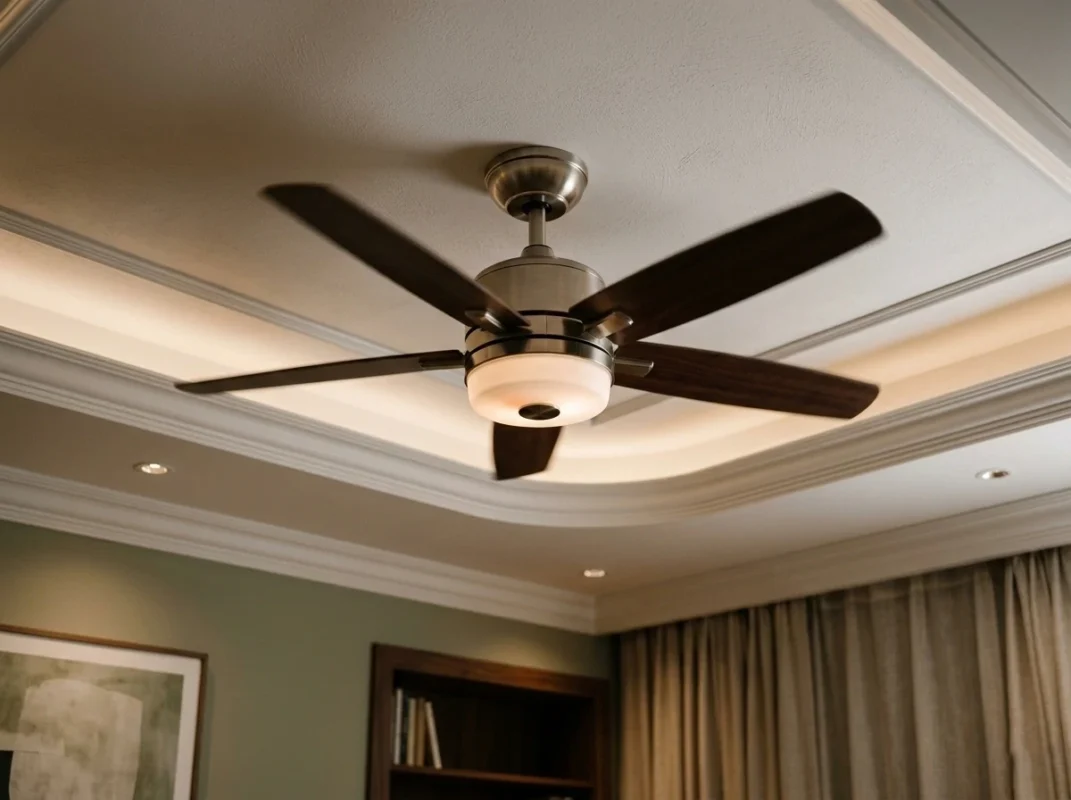
Final Thoughts: Is a Smart Ceiling Fan with Light Worth It?
After installing and testing dozens of fans over the years, one thing is clear: the smart ceiling fan with light isn’t just a novelty.
It solves real everyday frustrations:
- Getting up to adjust fan speed
- Wasting energy running fans all day
- Poor airflow distribution
- Limited lighting control
By combining dc motor smart fan efficiency, voice control ceiling fan convenience, and app controlled ceiling fan automation, these systems create a more comfortable and energy-efficient home.
If you’re upgrading lighting or replacing an old fan, installing a smart ceiling fan with light is one of the easiest ways to modernize a room—and once you have one, you’ll likely want them in every room of the house.
FAQ About Smart Ceiling Fans
Can I control my fan with my phone?
Yes. A smart ceiling fan with light is typically an app controlled ceiling fan, meaning you can operate it from a smartphone app. You can adjust fan speed, turn lights on or off, dim lighting, and schedule operations from anywhere with internet access.
Is a DC motor fan better than AC?
In most cases, yes. A dc motor smart fan is quieter, more efficient, and offers more speed settings than traditional AC motors. These motors also consume significantly less electricity, making them a key component of an energy efficient smart fan.
Can you dim the light on a smart fan?
Most modern smart ceiling fan with light models include dimmable LED lighting. Using an app or remote, you can adjust brightness levels and sometimes even change color temperature.
Do smart fans save energy?
Yes. A smart ceiling fan with light often qualifies as an energy efficient smart fan because it combines low-power DC motors with scheduling and automation. These features help reduce unnecessary operation and improve airflow efficiency.
How do I pair my ceiling fan with WiFi?
To connect a wifi ceiling fan with remote, download the manufacturer’s control app, enable pairing mode on the fan, select your home WiFi network, and complete the setup in the app. Once connected, the fan becomes an app controlled ceiling fan.
Can I use a smart switch with a smart fan?
In many cases yes, but compatibility depends on the fan’s internal controller. Some smart ceiling fan with light models require constant power to maintain WiFi connectivity, so using a traditional switch may interrupt smart functions.